
NOVELOUS
SHOGAKUKAN INC.Books & Reference
4.457.00 Reviews
- Version
- 1.3.10
- Installs
- 50.00K
- Age Rating
- Mature 17+
Screenshots
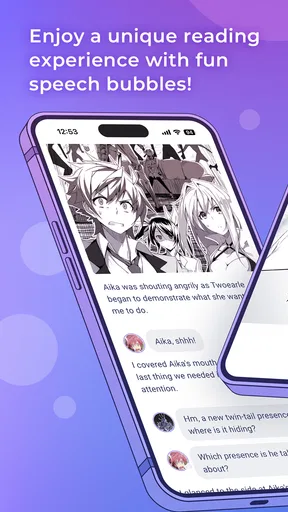
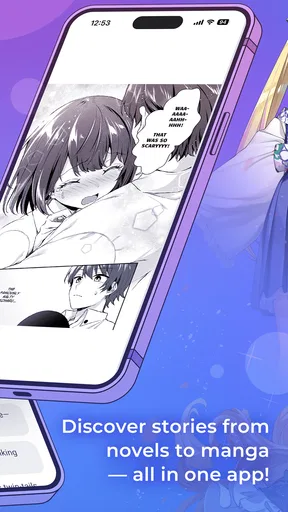

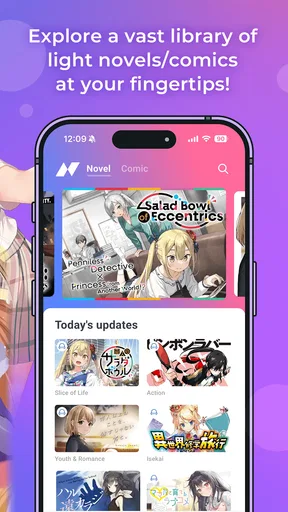
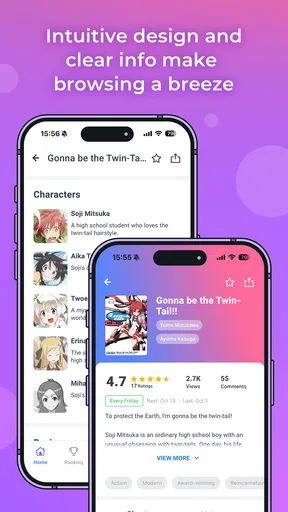
Our Review of NOVELOUS
 Analysis by Appyee
I approached NOVELOUS as a reader rather than as someone looking for another general-purpose book app. From the start, its identity is clear: this is a Books & Reference app from SHOGAKUKAN INC. built around light novels. That focus matters because it changes what I expect from it. I am not opening it for a broad library, academic citations, or a replacement for every reading service on my phone. I am looking for a more concentrated way to discover and spend time with light-novel content.
That narrow purpose is also the app’s main appeal. Many reading tools try to serve ebooks, news, comics, audiobooks, documents, and saved web pages at once. NOVELOUS feels easier to judge because its promise is more specific. It is free to install, carries a Mature 17+ age rating, and has reached over fifty thousand installs. Its average rating is 4.4 from around three hundred ratings, with dozens of written reviews, so there is enough public reaction to suggest that readers are finding value in it while still leaving room for individual experience to differ.
My overall impression is cautiously positive. I can see why a reader interested in light novels would want to try it, especially when the cost of entry is free. At the same time, I would not treat free installation as the same thing as a completely cost-free reading experience. The app includes in-app purchases ranging from under a dollar to more than thirty dollars per item, so I would pay attention to what is offered before committing to a long reading habit.
What using NOVELOUS feels like in practice
I find it helpful to treat a first visit as a scouting session: get a feel for how NOVELOUS presents light novels, note what catches your eye, and leave any purchase decision for later. That small pause makes it easier to judge whether the app suits your reading taste rather than simply reacting to a tempting title. I’ll focus next on the settings and choices that can make a regular routine more comfortable.
A focused reading destination instead of a general bookshelf
The most useful way to think about NOVELOUS is as a specialized doorway into light novels. That makes it more appealing to someone who already knows the kind of fiction they want than to someone who simply wants “something to read.” If I were browsing during a commute or before bed, a focused catalog could reduce the distraction that comes with opening a massive, mixed-format store.
There is a practical trade-off here. A broad ebook app usually gives me more flexibility across genres and formats, while a specialized service can make a particular interest feel less buried. I would choose NOVELOUS when light novels are the reason I am opening the app in the first place. If I mainly read nonfiction, local documents, or books from several unrelated publishers, a conventional ebook reader would probably fit my habits better.
The app’s store summary presents it as an invitation to explore the world of light novels, but my recommendation depends on how seriously a reader takes that focus. Someone who wants a quick sample of the category may find the free entry point useful. Someone expecting a complete replacement for an established reading ecosystem should approach it more carefully and check the available titles, reading conditions, and purchase prompts before building a library around it.
Where the developer and age rating fit into the decision
SHOGAKUKAN INC. is a recognizable name in Japanese publishing, which gives the app a clearer identity than an anonymous reading utility. That does not automatically answer every question about the app’s handling of personal information or purchases, but it does help me understand who is behind the product. I still prefer to judge trust through the choices visible inside the app rather than through reputation alone.
The Mature 17+ rating is important for families and younger readers. I would not install this on a child’s device simply because the app is listed under Books & Reference. The category tells me what the app does, not whether every title or theme will suit every reader. Adults should also remember that a light novel is not automatically light in subject matter; the age label is a useful reason to review the audience fit before sharing access with someone younger.
Version support and everyday reliability
NOVELOUS is currently at version 1.3.10 and supports Android 7.0 or later. That makes it accessible to people using older Android hardware, which I consider a practical advantage for a reading app. Reading does not always require the newest phone, and a lower operating-system requirement can help someone keep an older device useful rather than replacing it just to try a book service.
Still, compatibility is not the same as an identical experience on every phone. Older devices may have less comfortable screens, slower loading, or limited storage, and reading quality depends heavily on typography and page presentation. I would test a short sample before buying anything, particularly if the phone is several years old. That small check can reveal whether text size, contrast, and navigation feel comfortable for longer sessions.
Trust, controls, and moments that deserve attention
Once the basic reading habit is settled, I pay attention to the moments when convenience and control intersect: account access, notifications, and purchase confirmations. A repeatable check before changing devices or spending can prevent avoidable confusion, especially if a phone or tablet is shared. I’ll also consider where careful habits have limits, so readers can decide when a dedicated light-novel app is the right tool and when another reading option makes more sense.
What I look for before signing in or spending money
When I review a reading app, I separate three questions: can I find something worth reading, can I control my account, and can I understand when money or personal information enters the picture? NOVELOUS should be judged through that same lens. The free installation makes trying it less intimidating, but the presence of paid items means I would not tap through every prompt automatically.
My preferred first session would be deliberately slow. I would browse the available material, open the account or settings area, read any purchase wording, and look for the controls related to sign-in, notifications, and stored payment access. I would also notice whether the app explains what is required for basic browsing and what becomes available only after creating an account. Those visible choices tell me more about how comfortable the service will be than a polished store sentence does.
The safest habit is to explore first and purchase second. That is especially relevant here because a low-cost individual item can feel harmless, while several small decisions can become a meaningful total. The listed purchase range runs from $0.99 to $32.99 per item. I would use the platform’s purchase authentication and review each confirmation screen rather than assuming that every tap is only opening a free preview.
Data-sensitive moments are usually ordinary moments
Privacy concerns in a reading app are not limited to dramatic permissions. They can appear when I create an account, recover access, receive recommendations, save reading progress, or start a transaction. Even when an app’s main activity is simply reading, those surrounding actions may involve information that I would rather manage carefully.
For that reason, I would pay attention to the exact wording shown at each step. If NOVELOUS asks me to provide account details, I would consider whether I need every optional field. If it offers notification choices, I would disable anything I do not find useful instead of leaving defaults untouched. If a purchase requires a platform account, I would verify that the correct account is active before confirming, especially on a shared or family device.
This is not a criticism of a particular hidden practice; it is a practical way to use the app responsibly. The visible controls and explanations available on the device should guide the decision. I would avoid guessing about data handling and would read the app’s current privacy and account information directly before entering details that I consider sensitive.
How I would protect a reading account
If I decided to use NOVELOUS regularly, I would keep the account tied to an email address I check and would avoid reusing a password from banking, shopping, or work services. I would also review the account area occasionally, particularly after changing phones. That makes it easier to notice an unfamiliar session, update contact details, or remove access from a device I no longer use if the available controls support those actions.
On a shared tablet, I would be even more careful. I would check which store account is active before making a purchase and avoid leaving payment confirmation open for the next person. On a personal phone, I would use the device’s screen lock and keep the operating system updated. These steps are not glamorous, but they matter more than a quick promise that an app is “safe.” They preserve my control at the moments when a mistake would be most inconvenient.
A realistic everyday reading routine
Imagine that I have twenty minutes on a train. I would open NOVELOUS, browse for a light novel that matches my mood, and read a manageable section rather than starting with the assumption that I need to buy a full collection immediately. Before leaving home, I would make sure my account details and purchase settings are clear. During the commute, I would keep notifications limited so the reading session stays focused.
Later, if I found a title I genuinely wanted to continue, I would return to its purchase screen and check the item description and total before confirming. I would not make the purchase while distracted, on a poor connection, or on a device where the wrong store account might be active. This workflow sounds cautious, but it is also convenient: separating discovery from payment gives me time to decide whether the app’s reading experience deserves a place in my routine.
For a reader who likes sampling unfamiliar light novels, that approach is one of the app’s strongest practical use cases. The free starting point lowers the barrier to exploration, while the focused subject matter keeps browsing more purposeful than scrolling through an enormous mixed catalog. The limitation is that the value of the experience depends on the titles and purchase choices available to that individual reader, so I would not assume that every user will find the same level of variety.
What makes it different from usual alternatives
A standard ebook reader is usually better when I already own files, need broad format support, or want one bookshelf for books from many sources. A large commercial ebook store is often stronger for sheer selection, established purchasing history, and cross-category discovery. A library app may be the better option for readers who prioritize borrowing rather than buying. NOVELOUS has a more specific role: it is for someone whose interest in light novels is strong enough to value a dedicated destination.
That specialization can improve discovery, but it can also feel restrictive. If I want biographies in the morning and technical manuals at night, I would rather use a broader service. If I am comparing several publishers or trying to consolidate an existing digital collection, I would also begin elsewhere. NOVELOUS makes more sense as a focused companion than as an automatic replacement for every reading tool I already use.
Small habits that improve the experience
My first tip is to separate browsing from buying. Use the free access period to learn how the catalog is organized and how comfortable the reading interface feels. My second is to adjust the phone itself for long sessions: lower glare, choose a comfortable brightness, and avoid reading in a position that strains the neck. The app may be specialized, but physical comfort still determines whether I return to it.
My third tip is to keep a simple record of titles I am considering rather than purchasing impulsively. A note on the phone with the title, the reason I want it, and whether I have sampled it can prevent duplicate or rushed purchases. This is particularly useful when individual items have different prices. My fourth is to revisit notification and account settings after the first session, because the choices that seem acceptable during setup may not suit a daily reading routine.
Finally, I would treat the age rating as part of content discovery, not as a formality. If I am recommending the app to a friend, I would mention the Mature 17+ classification before discussing the free installation. That is a more honest recommendation than assuming that every light-novel reader wants the same themes or level of maturity.
Who should try it, and who should skip it?
I would recommend trying NOVELOUS to an adult reader who specifically enjoys light novels, wants a focused place to browse, and is comfortable checking purchase details before spending. It is also worth considering for someone with an older Android phone, since Android 7.0 support keeps the technical entry barrier relatively modest. The free installation makes a cautious trial reasonable.
I would steer younger readers and parents toward a closer content check because of the Mature 17+ rating. I would also suggest that people who dislike in-app purchasing, need a broad ebook library, or prefer borrowing over buying start with another kind of reading service. Readers who are highly privacy-sensitive should inspect the app’s own current account, permission, and privacy screens before registering, then decide whether the available choices meet their standards.
My cautious verdict
NOVELOUS has a clear reason to exist: it gives light-novel readers a specialized place to explore rather than asking them to search through an unrelated digital bookshelf. SHOGAKUKAN INC. provides a recognizable publishing identity, the app is free to begin with, and its current version shows an actively maintained product rather than an abandoned experiment. Those are meaningful positives for a reader deciding whether to test it.
My recommendation comes with boundaries. I would not describe it as the best reading solution for everyone, and I would not make a purchase without checking the item, account, and confirmation details carefully. The in-app purchase range, Mature 17+ rating, and specialized focus all shape who will be happiest using it. The app works best when I treat it as a deliberate light-novel destination, not as a universal replacement for an ebook store or library service.
After weighing those points, I think NOVELOUS is worth a careful trial for the right audience. Start by browsing, confirm that the available reading material matches your interests, review the visible account and privacy choices, and only then decide whether paid content belongs in your routine. For adult light-novel fans who value focused discovery and retain control over their purchases, it is a promising option; for everyone else, a broader or borrowing-based alternative may be the wiser fit.
Verdict
Strengths of NOVELOUS
- Clean interface makes browsing novels simple and comfortable.
- Useful reading progress helps you return to unfinished stories quickly.
- Large selection offers different genres and reading preferences.
- Regular content updates can keep the library feeling fresh.
- Personalized recommendations may help discover new authors and series.
Limitations of NOVELOUS
- Some stories may require coins, subscriptions, or in-app purchases.
- Content quality can vary noticeably between different authors.
- Offline reading options may be limited for certain titles.
- Ads can interrupt browsing or reduce the reading experience.
- The app may use considerable storage when saving many chapters.
Similar Picks in This Category
View All
Google Play Books & Audiobooks
Google LLC4.7

네이버 - NAVER
NAVER Corp.3.5

Wattpad - Read & Write Stories
Wattpad.com3.7

King James Bible - Verse+Audio
Ozion4.8

Bible Offline-KJV Holy Bible
Bíblia Offline4.9

Amazon Kindle: Reading App
Amazon Mobile LLC4.8
Frequently Asked Questions
What is NOVELOUS and what can I use it for?
NOVELOUS is an application designed for users who want to explore and interact with digital content in one place. Depending on the version available for your device, it may provide access to stories, entertainment, community features, or other personalized content. Before downloading, check the official store description to confirm the current features, supported regions, and whether the app matches your expectations.
Is NOVELOUS free to download and use?
NOVELOUS may be available as a free download, but some features or content could require in-app purchases, a subscription, or account registration. It is important to review the pricing information shown in the Google Play Store or Apple App Store before installing it. Also check whether subscriptions renew automatically and learn how to cancel them through your device’s account settings.
Does NOVELOUS require an account or personal information?
NOVELOUS may allow limited access without registration, although creating an account can be necessary for saving progress, synchronizing content, receiving recommendations, or using social features. During setup, review the permissions and information requested, such as an email address or profile details. Only provide data you are comfortable sharing, and read the app’s privacy policy before completing registration.
Is NOVELOUS safe to install on Android and iPhone?
The safest way to install NOVELOUS is through the official Google Play Store or Apple App Store rather than downloading modified APK files or unofficial packages. Check the developer name, recent reviews, update history, and requested permissions before installation. Keep your operating system updated, avoid suspicious links, and remember that store availability and security practices may vary by region and app version.
Does NOVELOUS work offline, and what devices does it support?
Offline functionality depends on the specific features offered by NOVELOUS. Some content may need to be downloaded first, while account synchronization, streaming, updates, or community tools generally require an internet connection. Before downloading, verify the app’s minimum Android or iOS requirements, available storage, and compatibility with your phone or tablet, since older devices may experience reduced performance or missing features.
